

Dynamics Response Mapping & Web to Lead
What's on this page
Qtip: If you’re interested in purchasing this extension, check it out on the XM Marketplace!
About Microsoft Dynamics Response Mapping & Web to Lead
The Microsoft Dynamics task lets you link up your account to a Qualtrics survey for both response mapping and web to lead capabilities. You get to customize the fields you bring from the Qualtrics survey over to Microsoft, so you can highlight key information when establishing records or capturing leads.
Qtip: The Qualtrics extension with Microsoft Dynamics 365 only supports the web version. We do not support on-premises.
Qtip: Are you interested in setting up inbound scenarios with Microsoft Dynamics 365 instead? Check out the JSON event support page for more on how to set this up.
Setting up a Microsoft Dynamics Task
You can perform both response mapping and web to lead with the Microsoft Dynamics task.
Response mapping is used to take the answers provided in a Qualtrics survey and map them back to Microsoft Dynamics 365. For example, when your client takes a support feedback survey, their satisfaction level could be mapped back to Microsoft Dynamics 365 for the account manager to see.
Web to lead is a specific response mapping use case. Web to lead allows you to insert information from a Qualtrics survey to a lead field in Microsoft Dynamics. For example, you could have a survey for prospective customers to fill out that is then mapped back to a new lead in Microsoft Dynamics for your sales team to pursue.
Go to the Workflows tab of your survey, or the global Workflows page.
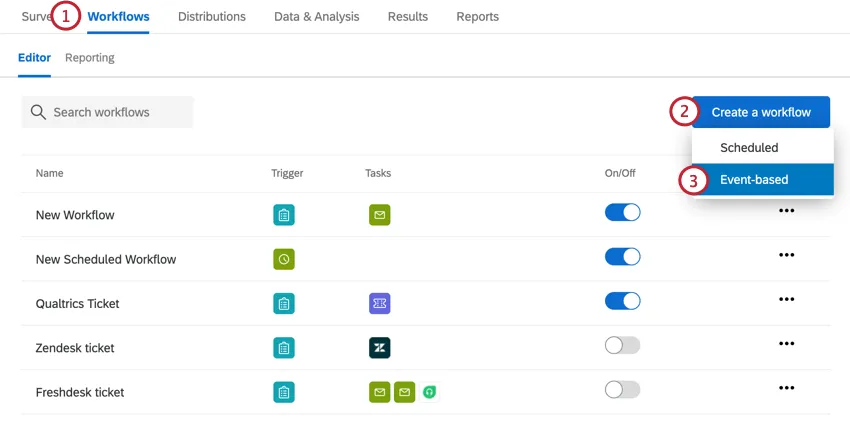
Click Create a workflow.
Select Event-based.
Choose the event that begins the workflow. Usually, this is a survey response event.
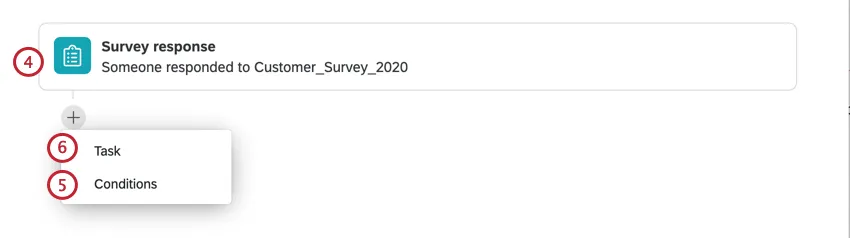
If desired, click the plus sign ( + ) and Conditions to add conditions to your task. Conditions determine when the workflow fires.
Click the plus sign ( + ) and then Task.
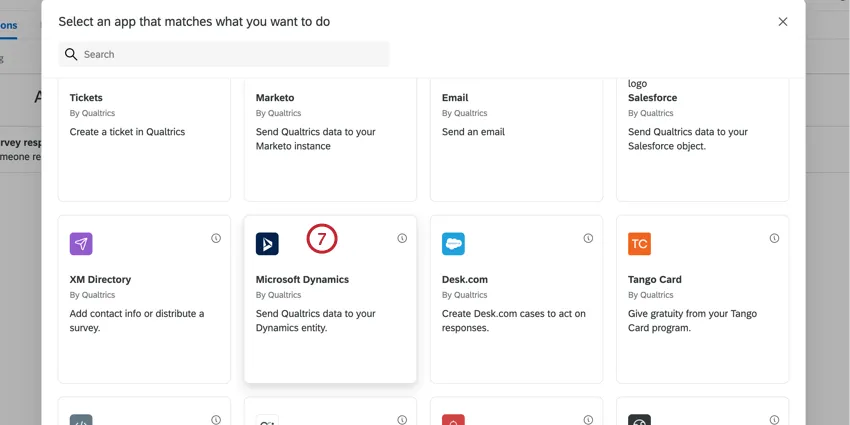
Select Microsoft Dynamics.
Choose a Microsoft Dynamics account to use from the list.
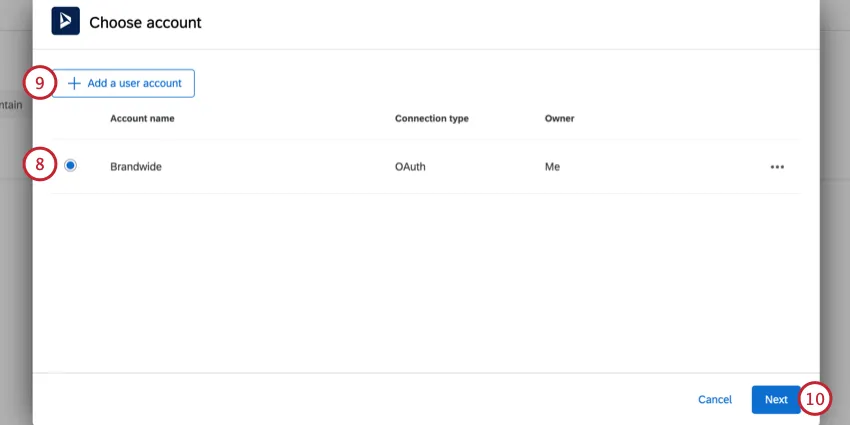
If you’d like to connect a different Microsoft Dynamics account, click Add a user account.
Qtip: When adding your new account, give your account a unique name so you can identify it later. To connect your Microsoft Dynamics account, you’ll need your Microsoft Dynamics URL. Make sure you exclude the https:// and any slashes at the end of the URL.
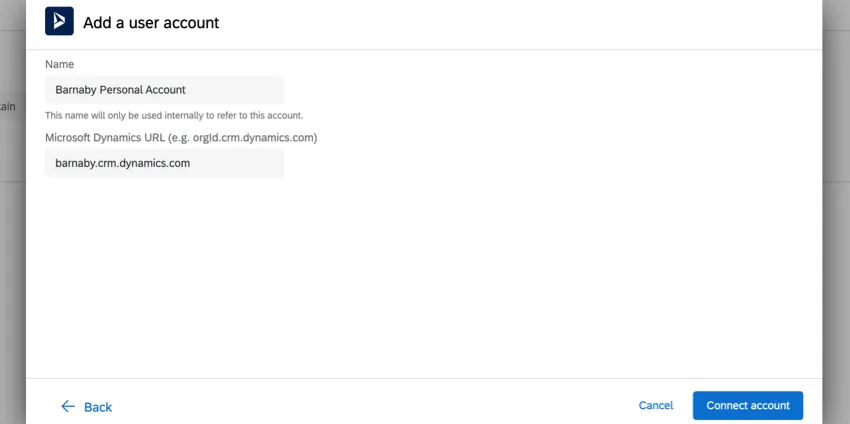
Click Next.
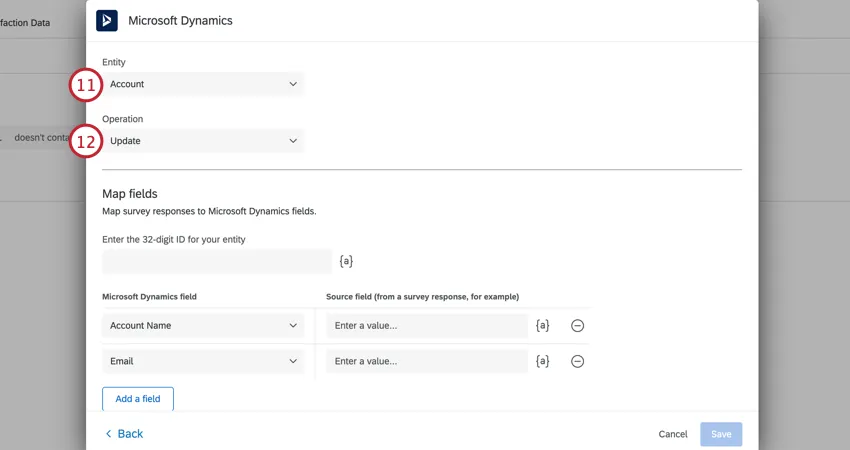
Choose the Entity in Microsoft Dynamics that you’d like to map responses to.
Qtip: While we are happy to help you set up your extension with Qualtrics, Qualtrics Support cannot guide you through custom entity creation in Microsoft Dynamics 365. Learn more about creating custom entities for response mapping on this Microsoft Dynamics support page.
Choose the Operation you’d like to perform. See this Microsoft Dynamics support page for more information about each operation:
- Insert
- Update
- Upsert
Delete

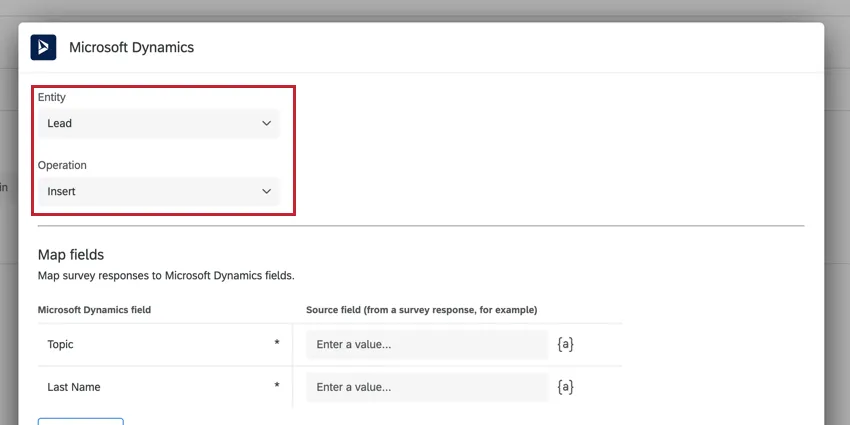
Qtip: You can achieve Web to Lead functionality by choosing Lead for the entity and Insert for the operation.
For Update, Upsert, and Delete, you must specify the 32-digit entity record ID. Either enter the ID directly or use the piped text menu, {a}, to pipe in this information from your survey.
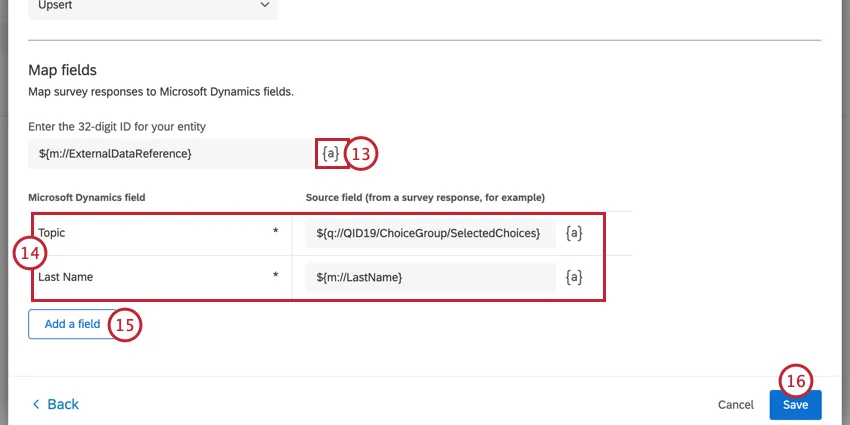
Qtip: The 32-digit ID must have a valid GUID format. If the piped information is not in this format, an error will occur when triggering the task.
Map the fields in Microsoft Dynamics to fields from Qualtrics. Use the piped text menu, {a}, to pipe in information from your survey. Fields marked with an asterisk are required.
To map additional fields, click Add a field and select your field from the list.
Qtip: If you are mapping fields that reference other fields, then you must make sure the referenced fields have GUIDs in a valid format. If the GUIDs are invalid, then the task will fail with the error “Invalid field reference GUID format: fieldname.”
When finished, click Save.
Qtip: The connection with Microsoft Dynamics will expire after 90 days if there are no tasks run during that time. If your connection expires, then your workflow will fail. To refresh your account connection, please remove the account and then re-add it.
FAQs
Do I have access to all extensions available through the Workflows templates?
Do I have access to all extensions available through the Workflows templates?
Is there a link to all Workflows events and tasks?
Is there a link to all Workflows events and tasks?
What are Workflows templates?
What are Workflows templates?
What are workflows? / Where are actions?
What are workflows? / Where are actions?
There are no changes to workflow functionality as part of this update.
How do I add or remove an extension from my Qualtrics account?
How do I add or remove an extension from my Qualtrics account?
That's great! Thank you for your feedback!
Thank you for your feedback!